Set up Stream Deck
Connect your Stream Deck to Social Stream Ninja in a couple of minutes.
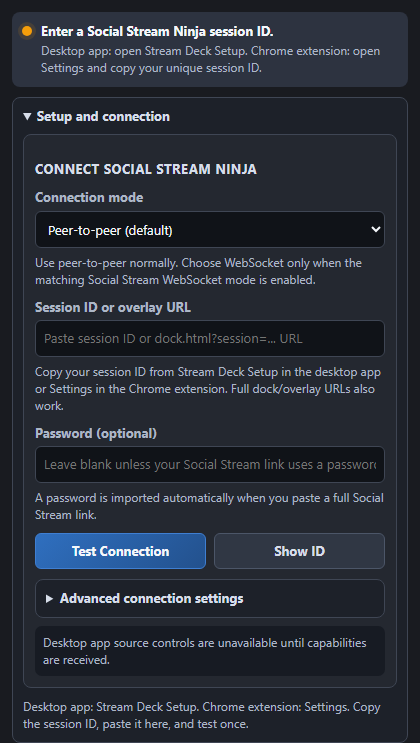
Using the Chrome extension? Copy your unique session ID from Settings, then paste it into the plugin.
Get the plugin
Install the Social Stream Ninja plugin, then open the Stream Deck desktop app.
Download pluginButtons, dial gestures and every command icon · Custom Event Flow workflows
Use the same session on both apps
Copy the ID
Use the Copy button above. This is the active Social Stream Ninja session.
Select an action
In the Stream Deck desktop app, drag in Setup, Timer Dial, or another SSN action.
Paste and test
Paste the ID into Setup and choose Test Connection. The status should turn green.
The two places you will use

Run custom Event Flow workflows, use the API, and learn dial gestures
Controls that fit a live workflow
The plugin checks the running SSApp version and only shows controls it supports.
Your session ID stays on your computer unless you use it to connect Social Stream Ninja services.